2 minutes
Publishing a Subgraph to the Decentralized Network
Once you have deployed your Subgraph to Subgraph Studio and it’s ready to go into production, you can publish it to the decentralized network.
When you publish a Subgraph to the decentralized network, you make it available for:
Check out the list of supported networks.
Publishing from Subgraph Studio
- Go to the Subgraph Studio dashboard
- Click on the Publish button
- Your Subgraph will now be visible in Graph Explorer.
All published versions of an existing Subgraph can:
-
Be published to Arbitrum One. Learn more about The Graph Network on Arbitrum.
-
Index data on any of the supported networks, regardless of the network on which the Subgraph was published.
Updating metadata for a published Subgraph
- After publishing your Subgraph to the decentralized network, you can update the metadata anytime in Subgraph Studio.
- Once you’ve saved your changes and published the updates, they will appear in Graph Explorer.
- It’s important to note that this process will not create a new version since your deployment has not changed.
Publishing from the CLI
As of version 0.73.0, you can also publish your Subgraph with the graph-cli.
- Open the
graph-cli. - Use the following commands:
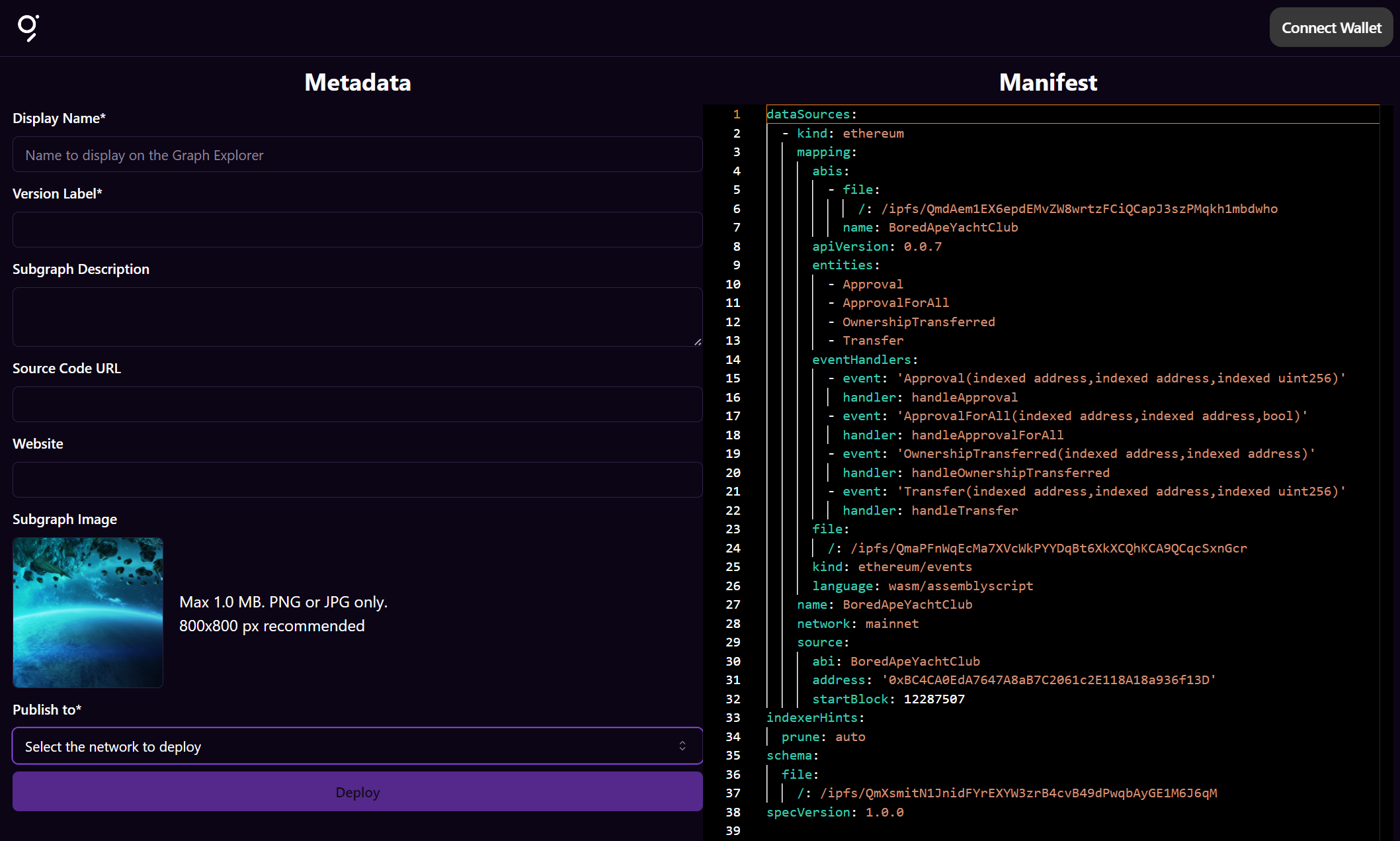
graph codegen && graph buildthengraph publish. - A window will open, allowing you to connect your wallet, add metadata, and deploy your finalized Subgraph to a network of your choice.
Customizing your deployment
You can upload your Subgraph build to a specific IPFS node and further customize your deployment with the following flags:
USAGE $ graph publish [SUBGRAPH-MANIFEST] [-h] [--protocol-network arbitrum-one|arbitrum-sepolia --subgraph-id <value>] [-i <value>] [--ipfs-hash <value>] [--webapp-url <value>]FLAGS -h, --help Show CLI help. -i, --ipfs=<value> [default: https://ipfs.thegraph.com/api/v0] Upload build results to an IPFS node. --ipfs-hash=<value> IPFS hash of the subgraph manifest to deploy. --protocol-network=<option> [default: arbitrum-one] The network to use for the subgraph deployment. <options: arbitrum-one|arbitrum-sepolia> --subgraph-id=<value> Subgraph ID to publish to. --webapp-url=<value> [default: https://cli.thegraph.com/publish] URL of the web UI you want to use to deploy.Adding signal to your Subgraph
Add GRT signal to your Subgraph to incentivize Indexers to index it. Before you add signal, see Curating for how much to add on your network, which networks signal works on, and what it costs.
Subgraph Studio enables you to add signal to your Subgraph by adding GRT to your Subgraph’s curation pool in the same transaction it is published.
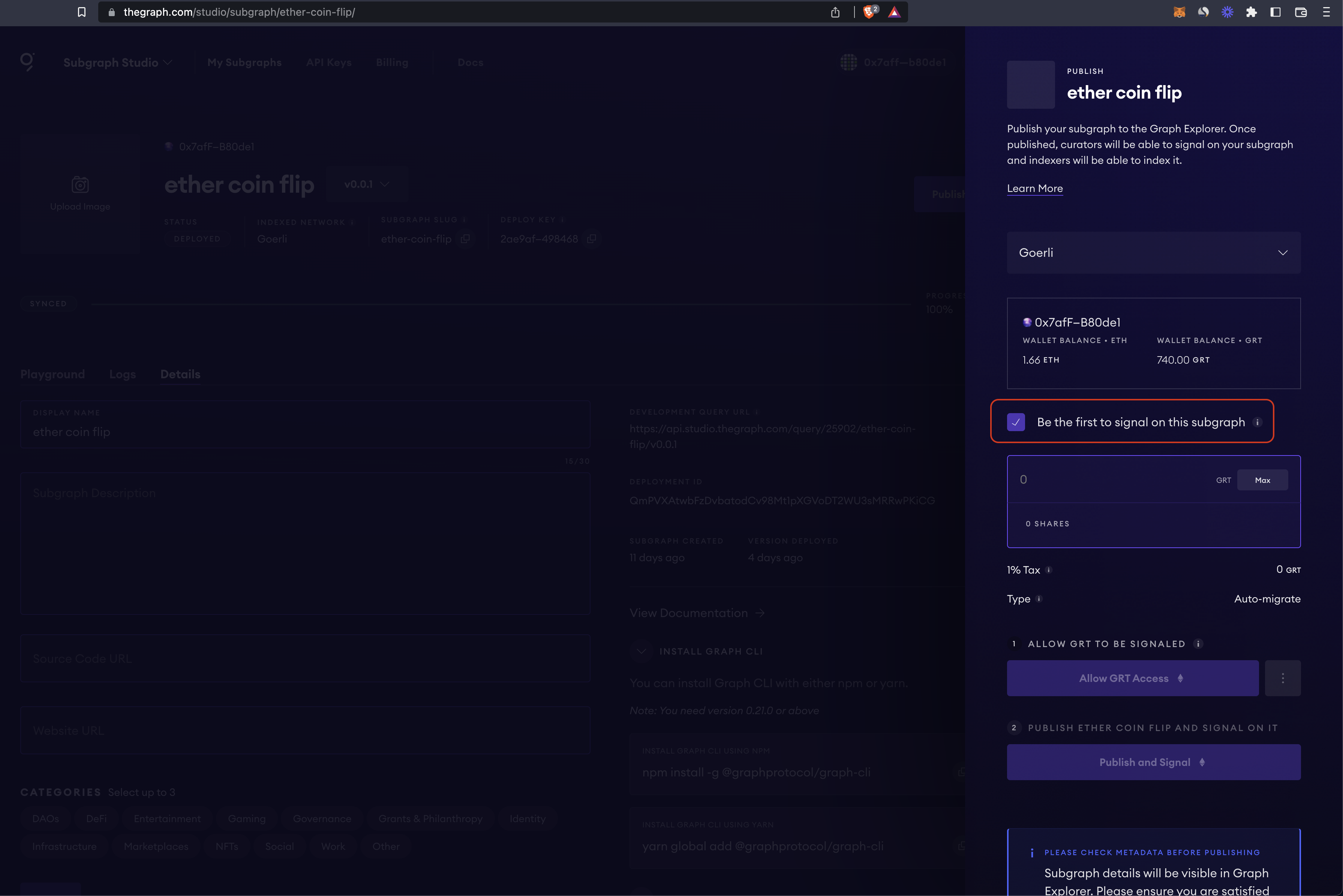
You can also add signal to a published Subgraph later from Graph Explorer.